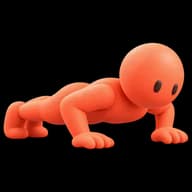
Squats
 Squats
The alarm that makes you do squats before it stops
A squat alarm clock keeps ringing until you have done a set number of squats. In WakeOps, Squats is one of three movements in the Exercise mission: you prop the phone up, stand side-on to it, and the camera counts every full rep, 10 by default. It is the physical mission that ends with you on your feet rather than on the floor, which matters if your habit is getting up and then getting back in.
How it works
- 1
Choose Exercise as the alarm's mission and Squats under Movement. Pick 5, 10, 15 or 20 reps, or Custom for any number from 1 to 100.
- 2
When the alarm rings, tap Start mission. Prop the phone up at about waist height, step back until all of you is in the frame, and turn side-on so the camera can see your knees bend. A live stick figure shows what it sees.
- 3
“Stand up straight to start counting,” then “Squat down” and “Stand back up.” A depth gauge fills as you go down and turns coral when the squat is deep enough. The rep counts on the way back up, so half reps don't.
- 4
The last rep stops the alarm and records the morning. Pressing Stop or swiping the alarm away doesn't count; with Ring during missions on (the default), the alarm sounds until you finish.
What you can set
- Movement: Squats, Push-ups or Plank
- How many: 5, 10, 15 or 20 squats, or a custom number from 1 to 100. Squats start at 10.
- Ring during missions (per alarm, on by default)
- Offer Math when stuck (per alarm, off by default): after 15 seconds, a card offers to switch to Math
- Mission Clips (off unless you turn it on): the front camera films the mission and the app makes a short clip of the win
Who a squat alarm suits
Squats are for people who do wake up, and then lie back down. The mission ends with you standing, out of the covers and a few steps from the bed, and standing is most of the way to being up. Unlike Push-ups you never get on the floor, and unlike Steps you don't need to leave the room, which helps in a small space.
How to set up the phone for squats
- Waist height on a shelf, chest of drawers or windowsill, with the screen facing the room.
- Side-on, not facing it. The photo on this page is front-on; for the real mission, turn sideways so the camera sees your knees bend.
- Light on, floor clear, and room to bend without hitting anything.
- Run Try it now on the Exercise setup screen once before you trust it with a real morning. It's free and records nothing.
Free to download for iPhone (iOS 17.6 or later). Setting alarms needs WakeOps Premium, an in-app subscription. Every mission can be tried for free.
Common questions
Squats or push-ups: which should I choose?
Squats if you wake up but climb back into bed, because you finish standing, away from it. Push-ups if you barely wake up at all, because getting down on the floor and pressing up is harder to do half asleep.
Is the camera recording me?
Not unless you turn on Mission Clips. Otherwise frames are analyzed on your iPhone during the mission and then discarded. Clips, if you choose them, stay on the phone until you share them yourself.
Why isn't it counting my squats?
Counting starts from standing, so stand up straight first. Then check you are side-on, head to feet in the frame, with a light on, and squat until the gauge turns coral before standing back up.
Can I make it harder?
Raise the count (up to 100), chain Squats with a second mission, or add a Still-awake check so another alarm rings 5, 10 or 15 minutes after you win.